为什么要这么做?
小Z比较喜欢折腾,喜欢做些小玩意儿,有时突然冒出个想法,但又找不到快捷的记录方法,即使有(如手机上的备忘录),过段时间也会忘了处理,所以想自己弄个快捷入口,输入一个标题即成为一个待办,有时间了就打开看看并深度思考一下,处理之,并记录成一个过程文档,这样既能释放分享欲又能学到一些东西。
所以,本文目的仅仅是创建文章的标题或者说是一个TODO事项。
Table of Contents
- 为什么要这么做?
- WordPress支持API调用吗?
- WordPress的baseUrl是什么?
- WordPress的创建文章接口是什么?
- WordPress的传参是怎样的?
- 如何认证呢?总不能任何人都可以在我的网站上发布文章吧
- Apifox测试接口调用
- 开始制作快捷指令
- 构思
WordPress支持API调用吗?
既然想外部调用Wordpress,首先先看看它是否支持api调用。
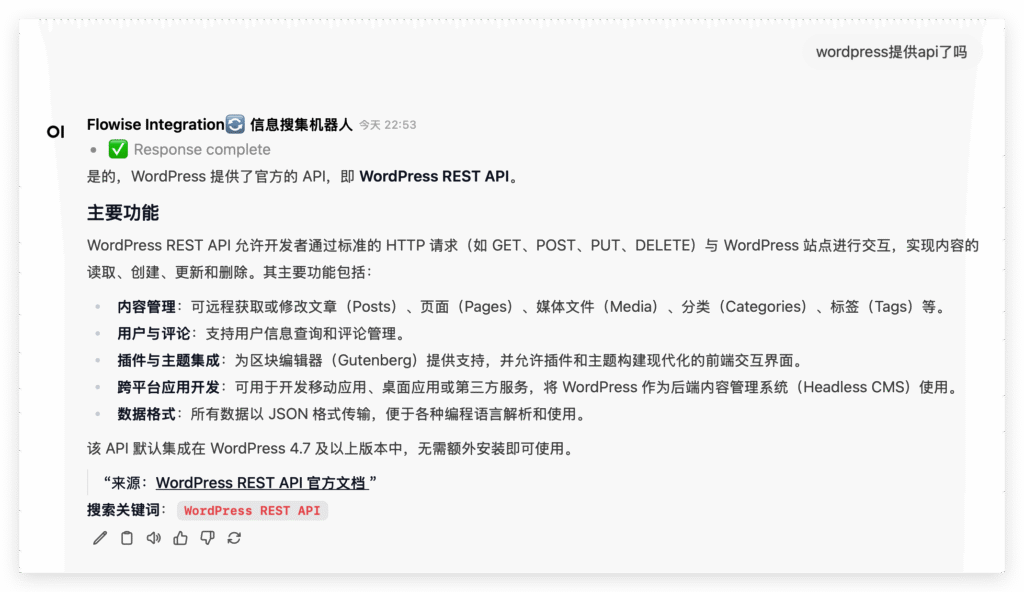
AI说支持的,并且是内置的(😁,这个AI后续可能会分享)。
WordPress的baseUrl是什么?
先问问AI
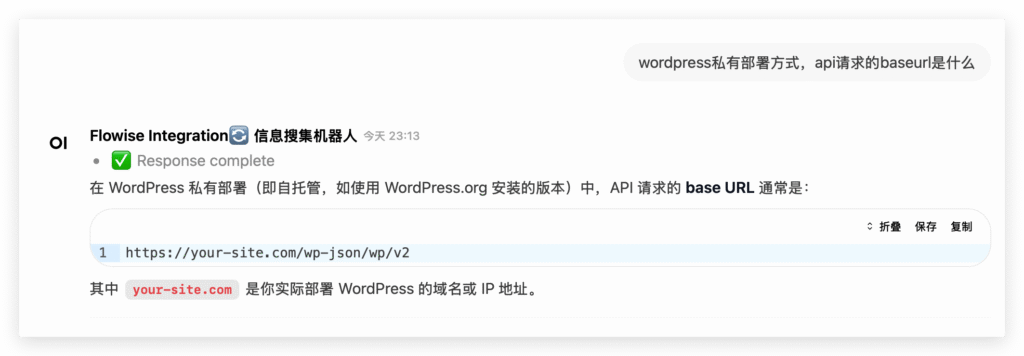
奥,AI说是:https://your-site.com/wp-json/wp/v2
WordPress的创建文章接口是什么?
那就搜索一下看看,找到了:/https://developer.wordpress.org/rest-api/reference/posts/
WordPress的传参是怎样的?
Create a Post
如下:
Arguments
date | The date the post was published, in the site’s timezone. |
date_gmt | The date the post was published, as GMT. |
slug | An alphanumeric identifier for the post unique to its type. |
status | A named status for the post. One of: publish, future, draft, pending, private |
password | A password to protect access to the content and excerpt. |
title | The title for the post. |
content | The content for the post. |
author | The ID for the author of the post. |
excerpt | The excerpt for the post. |
featured_media | The ID of the featured media for the post. |
comment_status | Whether or not comments are open on the post. One of: open, closed |
ping_status | Whether or not the post can be pinged. One of: open, closed |
format | The format for the post. One of: standard, aside, chat, gallery, link, image, quote, status, video, audio |
meta | Meta fields. |
sticky | Whether or not the post should be treated as sticky. |
template | The theme file to use to display the post. |
categories | The terms assigned to the post in the category taxonomy. |
tags | The terms assigned to the post in the post_tag taxonomy. |
要这么多传参啊,我先测试一下,其实我只想创建一个带有标题的文章草稿。
如何认证呢?总不能任何人都可以在我的网站上发布文章吧
先看看AI怎么说:
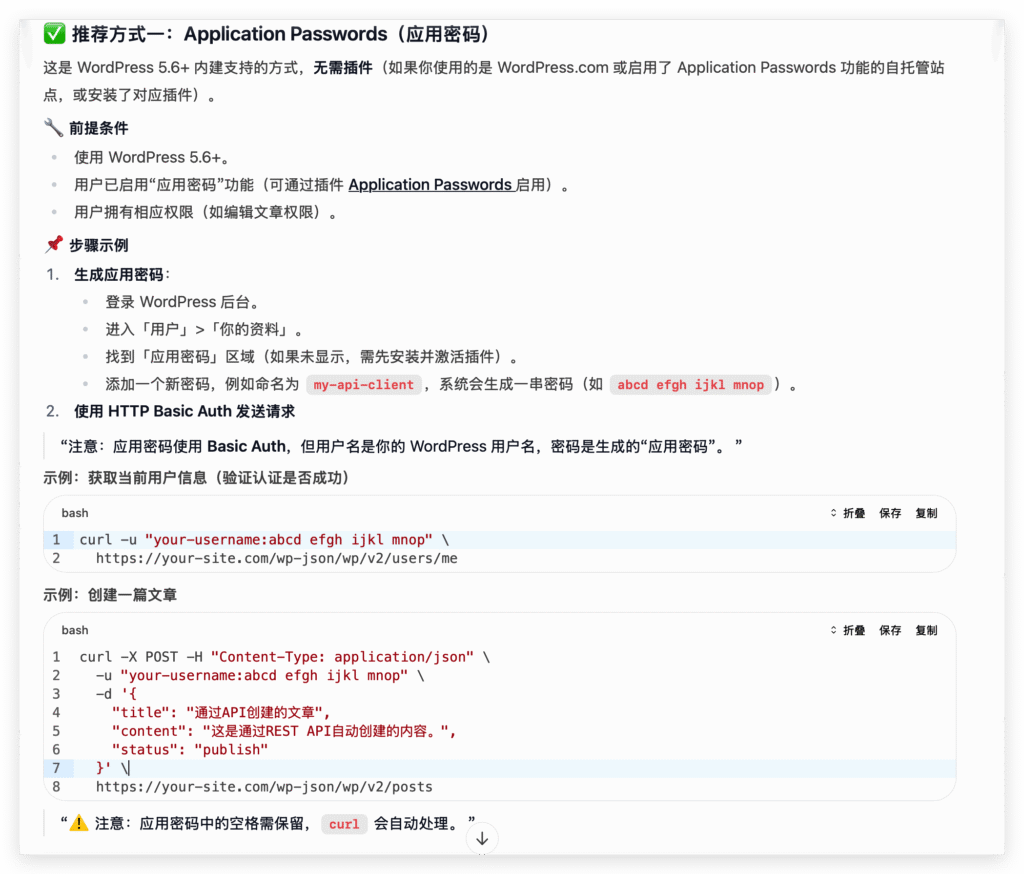
经过验证,可以的。
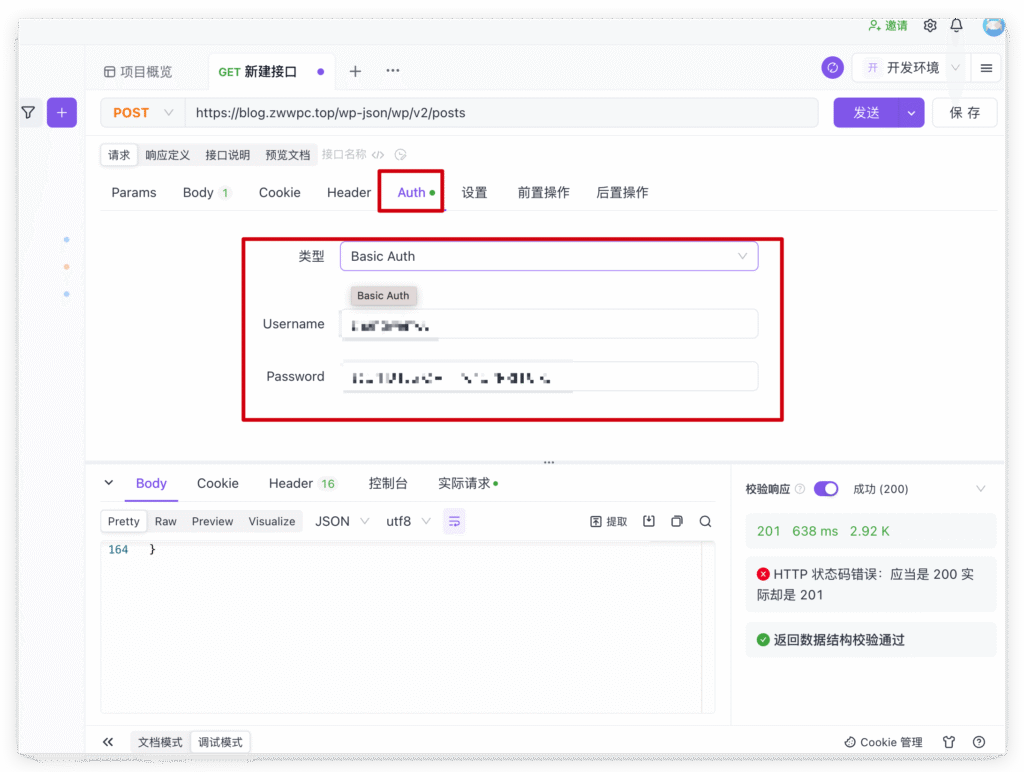
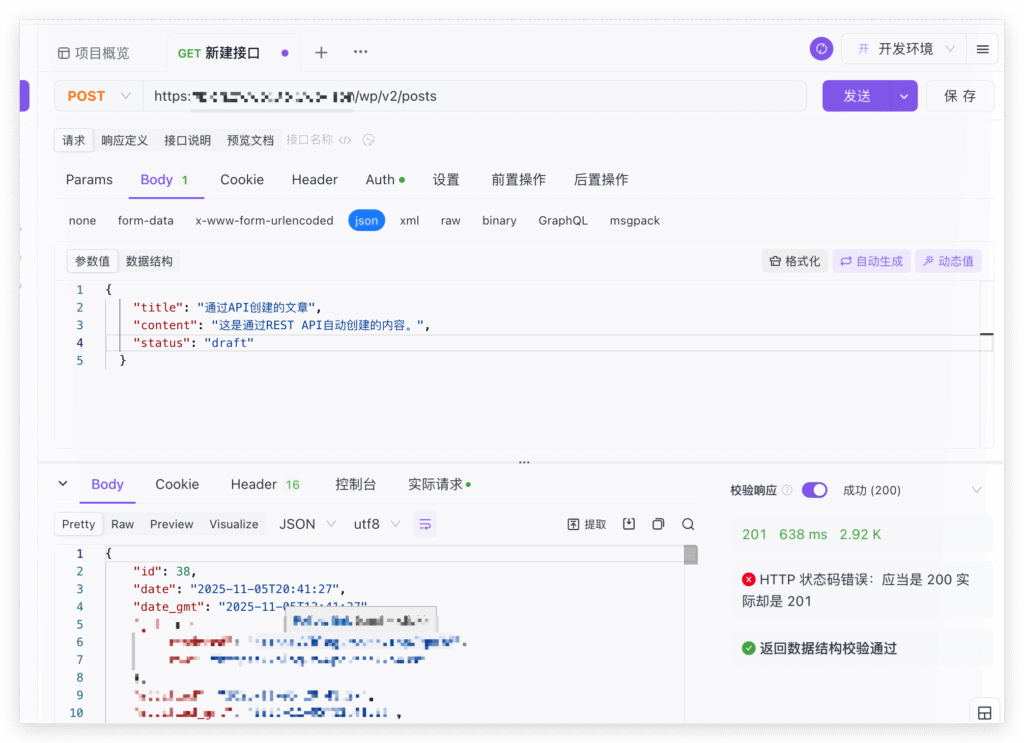
Apifox测试接口调用
- 设置认证信息
开始制作快捷指令
构思
手机端点击快捷指令,弹出输入框,输入要创建的文章标题。
电脑端使用快捷键触发,同样弹出输入框,输入要创建的文章标题。
然后调用WordPress创建文章接口即可。直接分享做好的快捷指令。
https://www.icloud.com/shortcuts/dc39d95ab21b4d3e870956409e500db1
⚠️:快捷指令获取后,先填入前三个文本,分别为:用户名、应用密码(非登陆密码)、api地址(https://your-site.com/wp-json/wp/v2)
发表回复